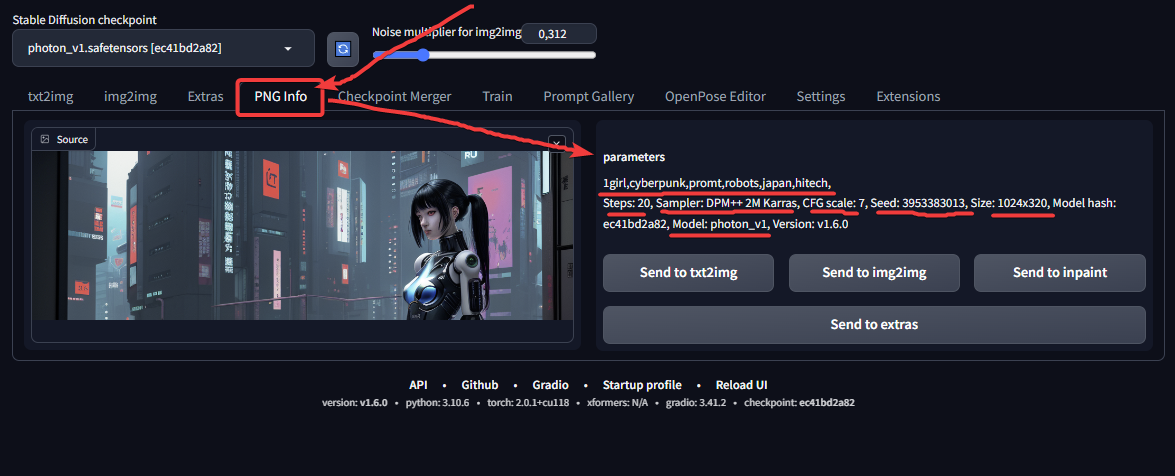
- Using the PNG Info tab in Automatic1111 (the web interface for Stable Diffusion).
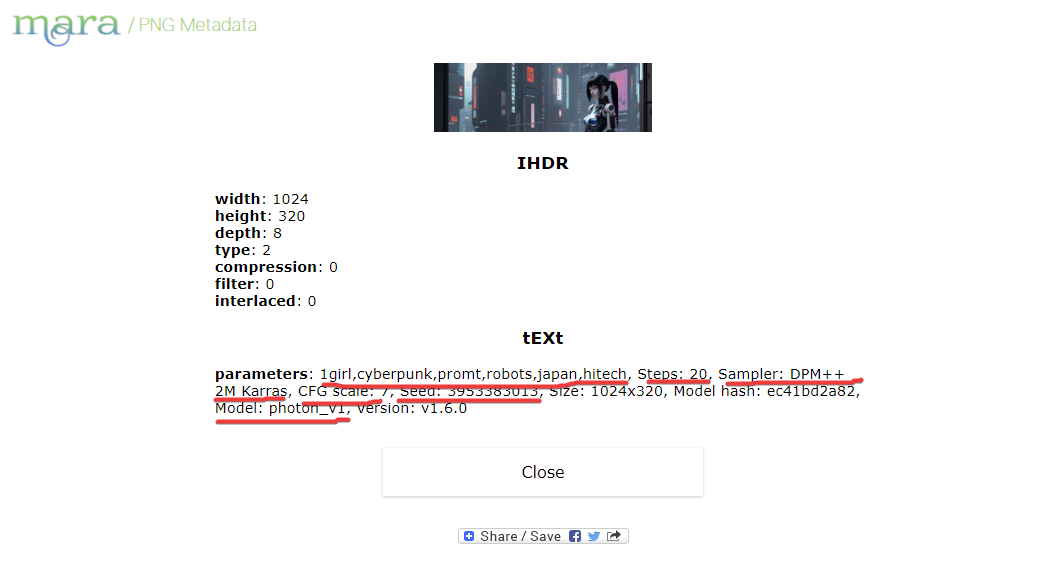
- Using online services such as https://mara.photos/png-metadata/?lng=en, which allow you to view the metadata of uploaded files.
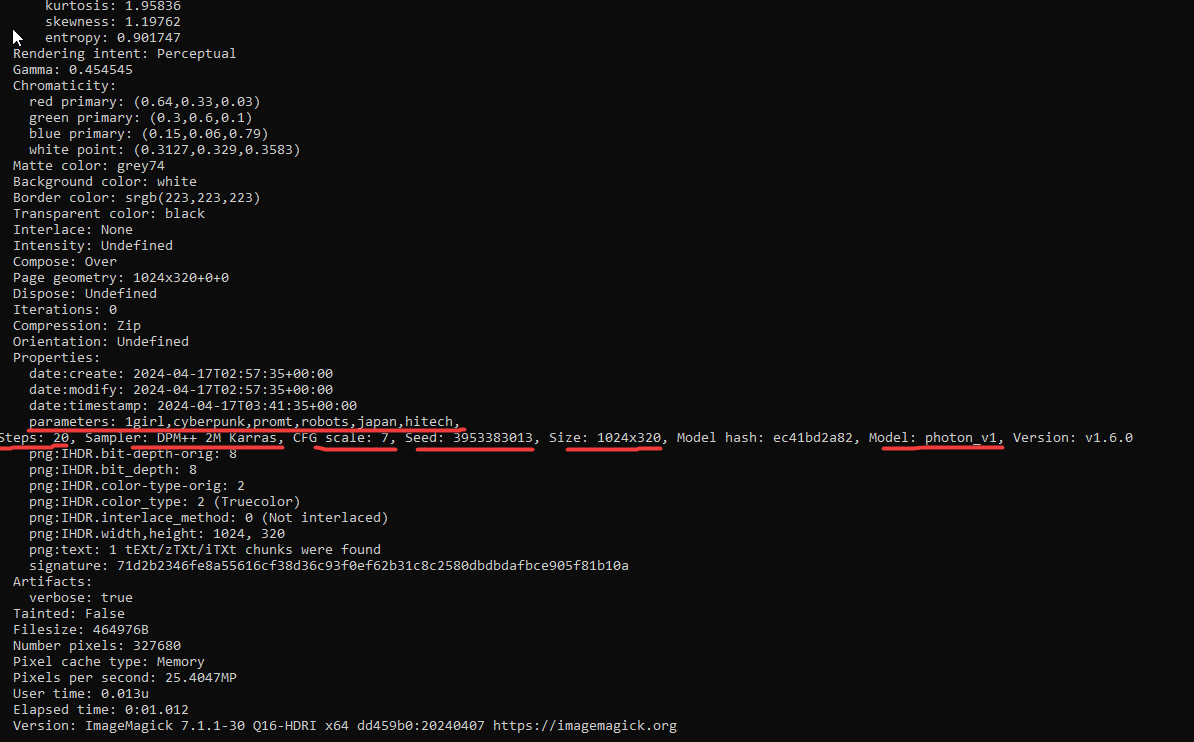
- Using the ImageMagick utility and the magick identify -verbose filename.png command. ImageMagick can be installed via Homebrew on Mac.
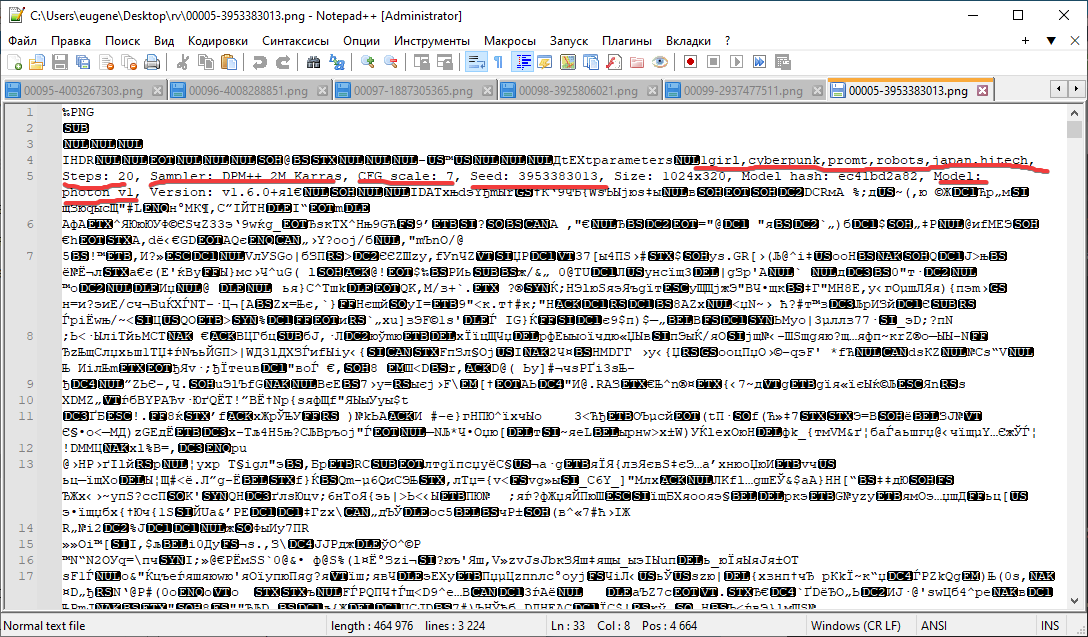
- Opening the PNG file as a text file in a text editor such as Notepad++ or Visual Studio Code. The metadata is located at the top of the file in a human-readable format.
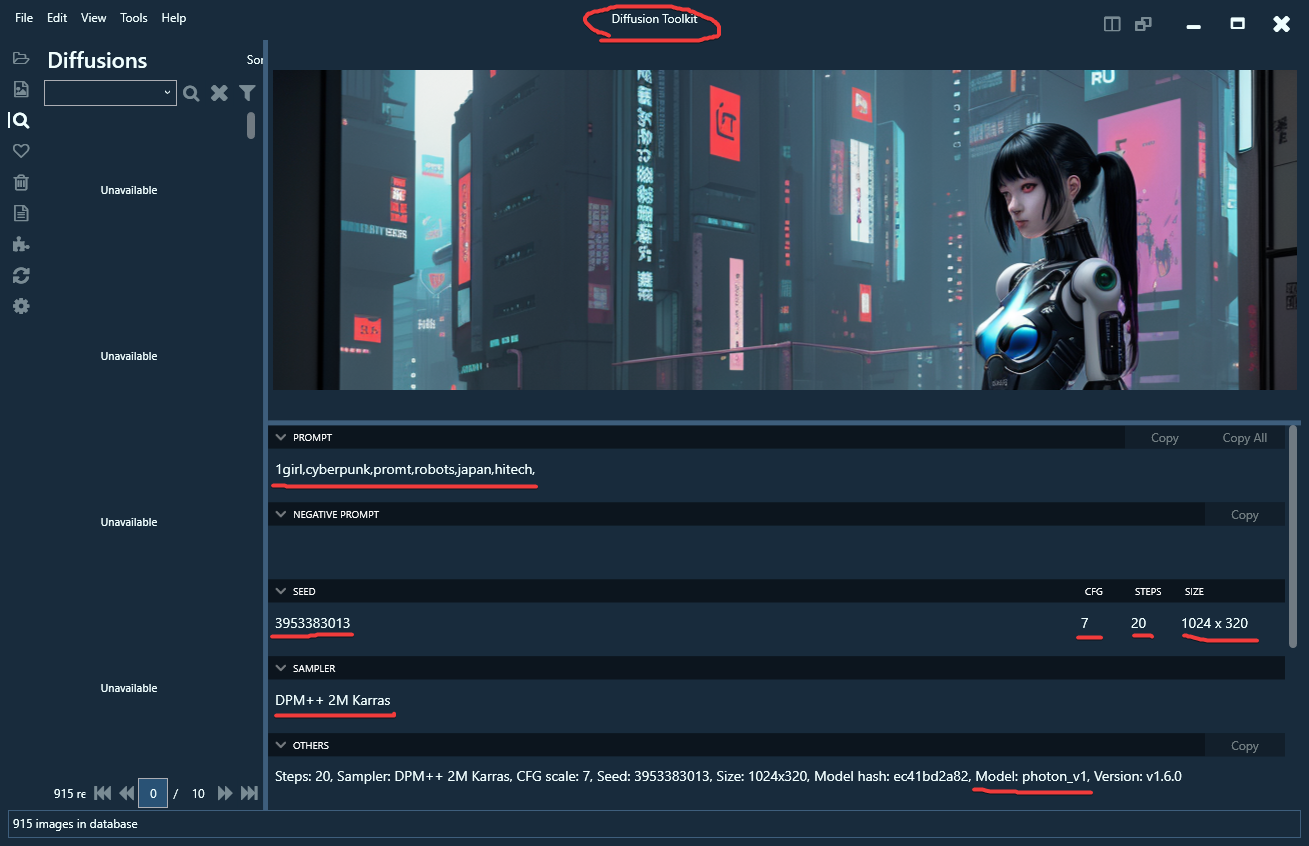
- Using the DiffusionToolkit utility (https://github.com/RupertAvery/DiffusionToolkit/releases/tag/v1.2.1), which allows you to extract and view the metadata of generated images.
- In some cases, when using certain settings or third-party scripts, the metadata may not be saved in the PNG files. In such situations, you'll need to refer to the generation logs or other sources of information.